Skip to content
RECORDby Auto Screen Shooter
Download free
More tools / GoFullPage alternative

A GoFullPage alternative that leaves the browser.

GoFullPage is great at one thing: capturing the Chrome tab you're looking at. If you also need any URL captured without opening it, an MP4 of the page scrolling, or captures on a schedule, and you'd rather pay once than subscribe, this is for you.

Full-page captureGoFullPageOur Chrome extensionOur desktop app
One-click capture of the open tabYesYes—
Pages behind a loginYesYesPublic pages
Capture any URL without opening it——Paste a URL
OutputPNG, JPG, PDFPNG, PDFJPG, PDF, MP4
MP4 video of the page scrolling——1–60 fps
Scheduled auto-captureLimitedEvery 1+ minEvery 1+ min
Watermark on free capturesNoneSmall, until licensedStrip, until licensed
PricingFree + Premium subscriptionFree to try · $29.99 once covers both (and RECORD)

GoFullPage is a trademark of its owner. Its features are taken from its public listing; check gofullpage.com for current plans. We're upfront about the watermark: GoFullPage's free captures don't have one, and ours do until you add a licence.

Desktop app

Paste a URL. Get the whole page.

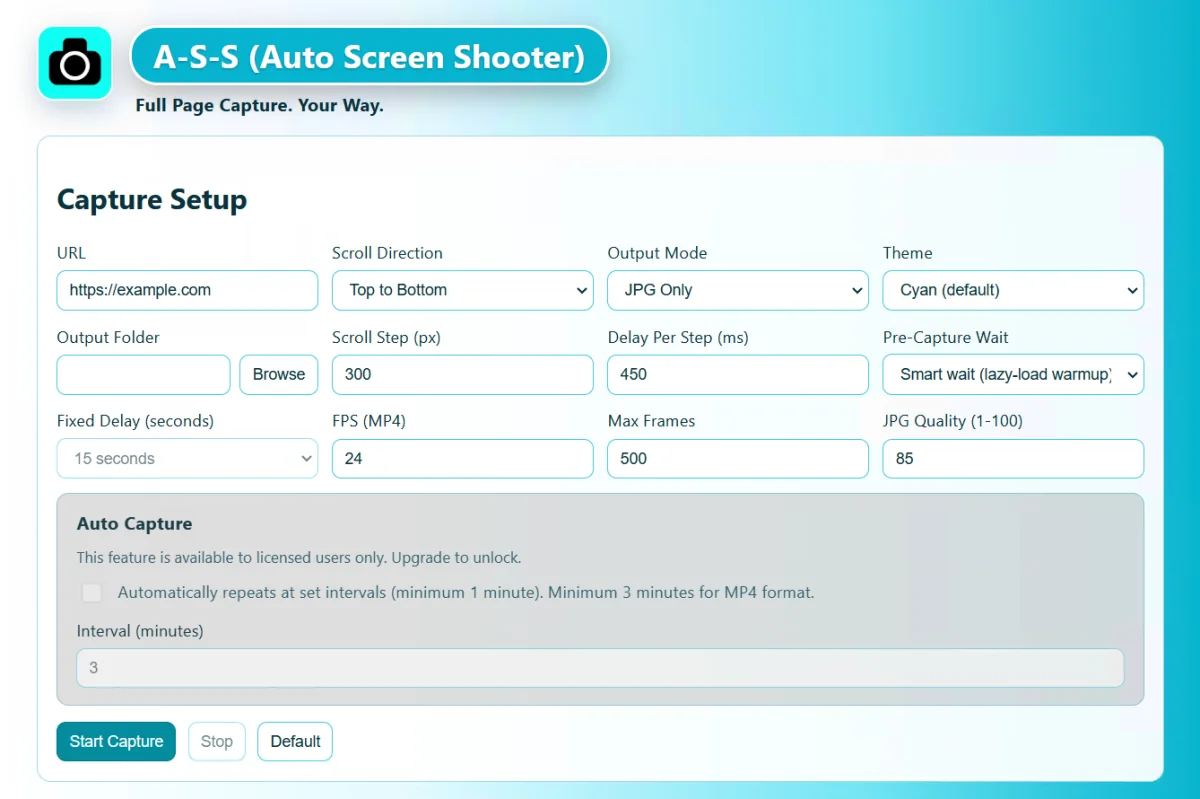
You don't need a browser tab. The app loads the page, waits for lazy-loaded images, then stitches it into one JPG or PDF, or records it scrolling as an MP4 for a demo, a review or an archive.

  • Scroll direction, step, delay and frame rate
  • Timestamped folders named after the site
  • Windows 10+ and macOS 12+
Full Page Capture desktop app settings
Chrome extension

The one-click part, too.

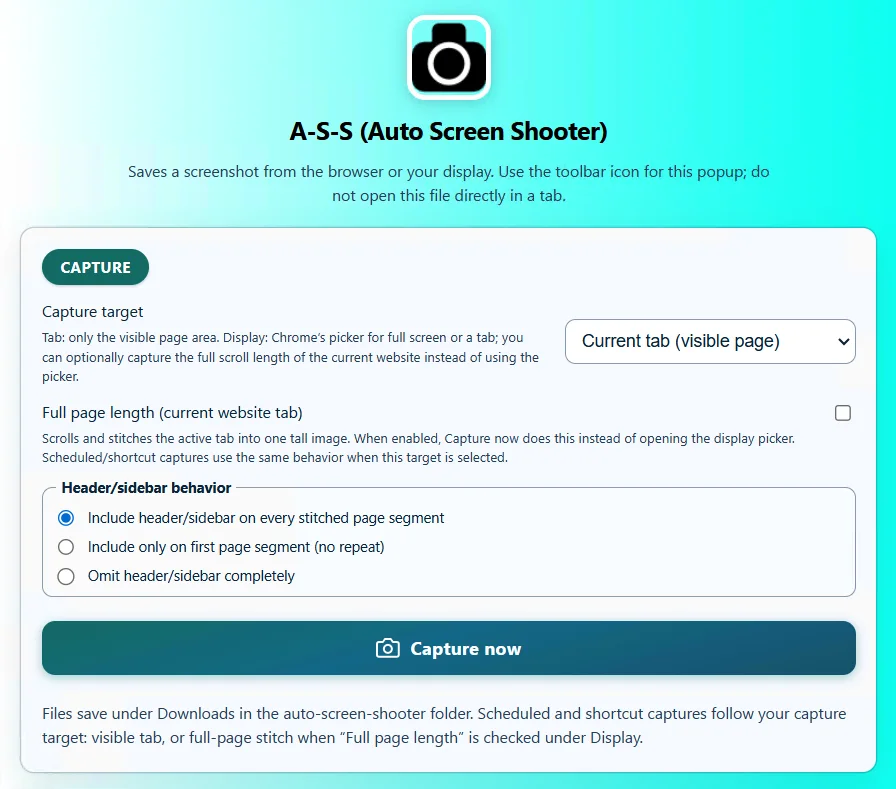
Capture the tab you're on, including dashboards and pages behind a login, as PNG or PDF with a shortcut. Name files automatically with {host}, {title} and the date.

  • Visible area or full stitched page
  • Auto-capture every minute or more
  • Capture history with JSON export
Auto Screen Shooter Chrome extension popup
Keep GoFullPage if

The tab is enough

You only ever need a quick, watermark-free PNG or PDF of the tab that's already open, and you don't need video or scheduling.

Switch if

You need more

You capture lists of URLs, need MP4 scroll videos, want captures on a schedule, or would rather pay $29.99 once than subscribe.

Also asked

GoFullPage FAQ.

Is GoFullPage free?
Its basic full-page capture is free. Editing, annotation and some other extras are in its paid Premium plan, which is a subscription.
What does "go full page" mean?
It usually refers to the GoFullPage Chrome extension, which scrolls a tab and stitches it into one image. "Full page screenshot" or "full page capture" is the general name for the same idea. See our full page screenshot guide for every method, including ones built into Chrome and Firefox.
Can I save the full page as a PDF instead?
Yes, both of our tools export PDF. See save a full page as PDF.
Does the licence also cover the screen recorder?
Yes. One $29.99 licence (two seats) covers the extension, the desktop capture app and RECORD.

The whole page.

Try both tools free. Upgrade once if they earn it.