Skip to content
RECORDby Auto Screen Shooter
Download free
RECORD / Auto screen recorder

The screen recorder that runs itself.

RECORD is the screen recorder from Auto Screen Shooter. "Auto" means you don't have to babysit it: it keeps a rolling replay, balances your audio, stays out of the shot and saves every take to your library on its own.

−2:00Rolling replay, always on in Game Mode
1 keyGlobal hotkeys, even when minimised
AutoSound balance ducks the PC under your voice
0Accounts, uploads or watermarks
What happens automatically

Less clicking. More recording.

These all run in the background so you can focus on what you're showing.

Replay
Always rolling

Game Mode keeps the last 30, 60 or 120 seconds. Press the hotkey after something happens and it's saved.

Audio
Auto-level

The computer's sound steps back while you speak and comes back up when you stop.

Countdown
3 · 5 · 10

A countdown before each take gives you time to switch windows.

Out of shot
Hidden HUD

The floating controls and camera preview are left out of the recording.

Library
Auto-saved

Every take goes into the library, ready to trim or convert.

Warnings
Mic check

RECORD warns you if the microphone or system sound goes silent mid-take.

One window

Set it once.

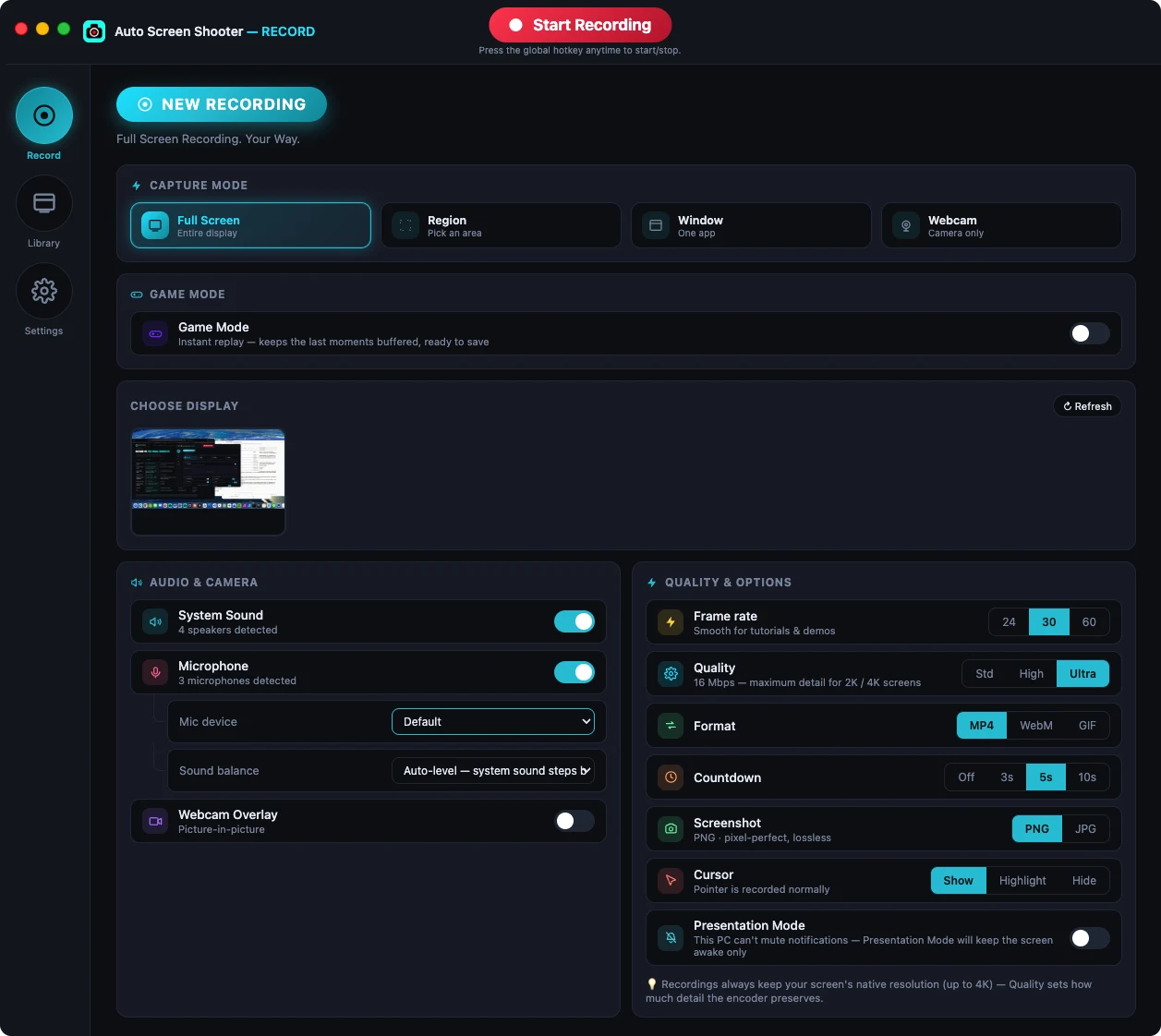
Capture mode, audio, camera, frame rate, quality, format, countdown and cursor all live on one screen, so there's nothing to dig for before you press record.

  • Full screen, region, window or webcam
  • 24 / 30 fps · Standard or High (PRO: 60 fps, Ultra)
  • MP4 or WebM (PRO: GIF)
RECORD main window with capture, audio and quality settings

Press one key.

RECORD handles the rest. Free on Windows and Mac.