
Full Page Capture · Desktop · Windows & macOS
Capture An Entire Page. Top To Bottom.
Paste a URL. The desktop app opens the page, scrolls it end to end and stitches it into one tall JPG, a PDF, or an MP4 of the scroll. Adjustable scroll controls for stubborn sites, smart pre-loading for lazy-loaded content, and scheduled re-captures when you have a licence.
In one sentence
Give It A URL. Get The Whole Page.
This is the desktop app for Windows and macOS. You paste a web address, it opens the page, scrolls it from top to bottom and stitches every screenful into one tall image, a PDF, or an MP4 of the scroll. You never have to have the page open in your own browser.
Use the desktop app when…
You capture pages regularly, want MP4 scroll video, or want captures to repeat on a schedule while you do something else.
It runs outside the browser
No tab open, no extension permissions, no browser profile involved. Point it at any public URL.
Prefer one click in Chrome?
The Chrome extension captures the tab you are already looking at — including pages behind a login.
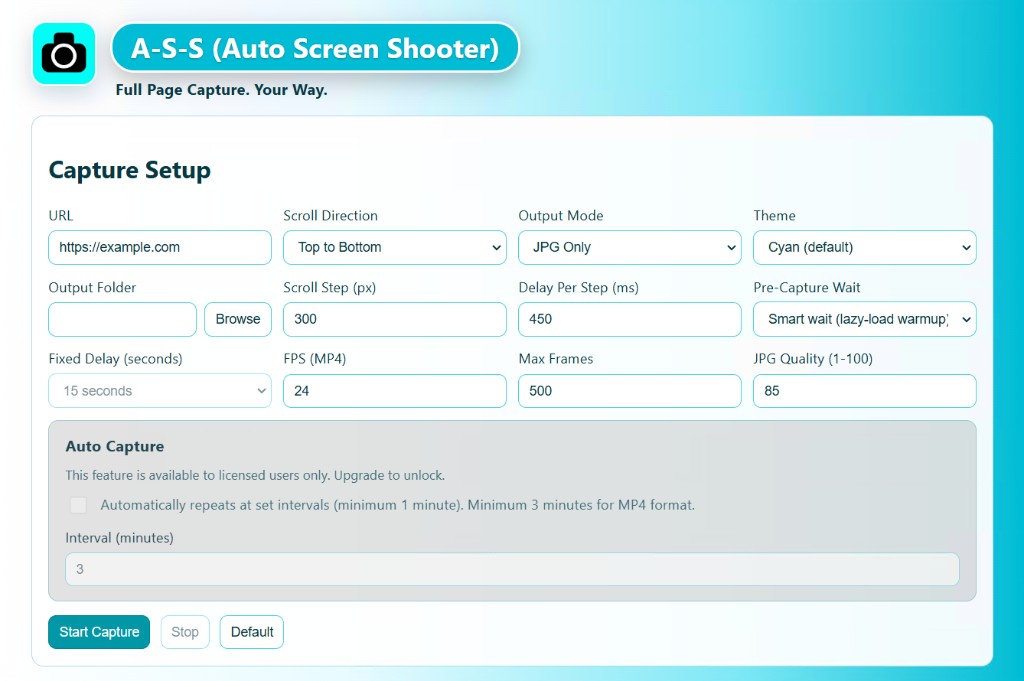
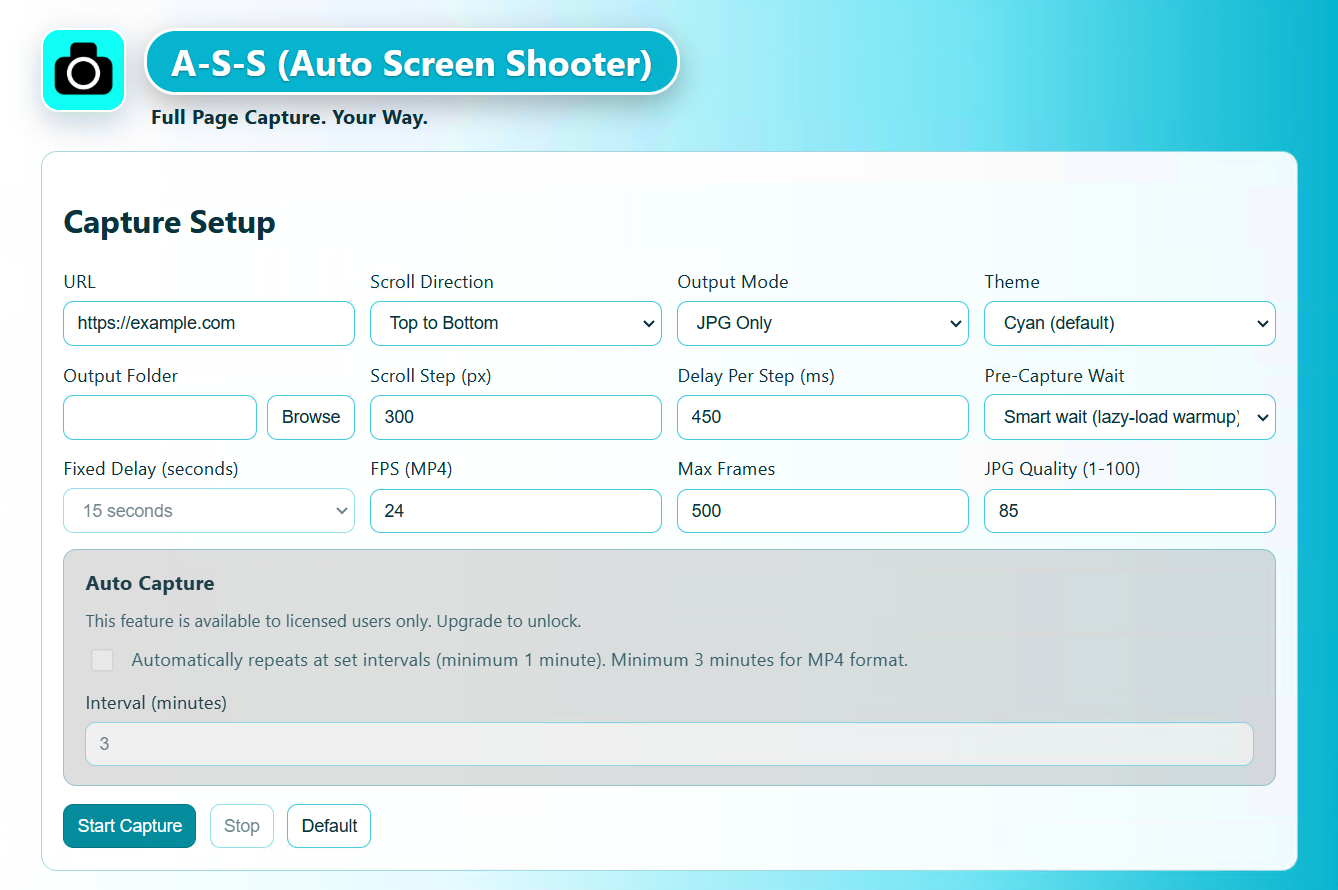
What it does
Three Outputs, One Pass
Choose a single format, or take JPG and MP4 together in the same run.
JPG, PDF Or An MP4 Scroll
A stitched JPG at a quality you set from 1 to 100, a PDF of the whole page, or an MP4 that scrolls the page as a video — useful for showing a long landing page in a deck without making anyone scroll.
- JPG quality slider, 1–100
- MP4 at 1–60 fps with a maximum-frame cap you set
- Every run writes a timestamped folder that includes the site hostname

Tune The Scroll To The Site
Badly behaved pages need different handling, so the scroll is yours to adjust rather than a fixed guess. Set how far the page moves each step and how long to wait before the next one.
- Scroll top-to-bottom or bottom-to-top
- Scroll step in pixels, and delay per step in milliseconds
- Smart pre-load waits for lazy-loaded images and deferred components before stitching begins
- Start and stop at any point, with full mid-capture cancellation
Progress you can actually read
Real-time progress events and a log stream while the capture runs, input validation with plain-language guidance, and a result report that names every output file and whether it succeeded.
Capture The Same Page On A Timer
Set an interval in minutes and the app re-captures on its own — for tracking a competitor's pricing page, archiving a status board, or building a visual changelog of your own site.
- Minimum interval: 1 minute for JPG or PDF, 3 minutes for MP4 and JPG+MP4
- Each run lands in its own timestamped folder
- Auto-capture is the one feature that requires a licence
Also worth knowing
Interface available in 20 languages, light and dark themes, and licence activation or deactivation whenever you move to a new machine.
Free vs licensed
What The Free Build Does And Doesn’t Do
The free desktop build captures full pages in every format, with no page-count limit and no time limit. Two things change when you enter a licence key: exports stop carrying a watermark strip, and the interval scheduler unlocks.
| Full Page Capture — desktop | Free | Licensed |
|---|---|---|
| Full-page stitched JPG | Yes | Yes |
| Full-page PDF | Yes | Yes |
| MP4 scroll recording | Yes | Yes |
| Watermark strip on exports | Applied to JPG, PDF and MP4 | Removed |
| Auto-capture on an interval | Not available | From 1 minute (3 for MP4) |
| Number of captures | Unlimited | Unlimited |
| Scroll direction, step, delay, FPS, quality | Fully adjustable | Fully adjustable |
| Smart pre-load for lazy-loaded pages | Included | Included |
| 20 interface languages, light & dark themes | Included | Included |
| Account or cloud upload required | Never | Never |
Captures you already made while unlicensed keep their watermark — entering a key affects newly generated files, so re-run anything you want clean.
Who it is for
Where A Full Page Beats A Screenshot
Designers & agencies
Archive a client site before and after a redesign, in one image per page rather than a folder of viewport crops.
QA & support
Attach the whole page to a bug report so nobody asks “can you scroll down and send another one?”
SEO & competitive research
Put a pricing or landing page on a timer and keep a dated visual record of every change.
Legal & compliance
Capture a published page as a PDF with the full content intact, stored on your own disk.
Decks & presentations
Drop in an MP4 scroll of a long page instead of three cropped screenshots that lose the flow.
Personal archiving
Keep articles, listings and receipts as they actually looked, not as a reader-mode reflow.
Pricing
One Licence. All Three Apps.
Buy once, use it forever. There is no subscription and no renewal, and every future update is included.
Two concurrent activations, mixed freely across RECORD, the desktop capture app and the Chrome extension.
Buy 2 seats via StripeSecure checkout · 30-day money-back guarantee · free updates for life
Team & agency seat packs
| 5 seats | $64.95 | Buy → |
| 10 seats | $99.99 | Buy → |
| 100 seats | $799.00 | Buy → |
| 500 seats | $3,495.00 | Buy → |
Not sure yet? Download the free build first — run it as long as you like and buy a key only when the workflow sticks.
The other apps
Two Other Ways To Capture
The desktop app is one of three Auto Screen Shooter tools. Pick whichever matches what you need at the end.
Capture A Page Right Now
The free build has no capture limit. Run it on real pages for as long as you like, then buy a key when the watermark starts getting in your way.
Questions
Straight Answers
How is this different from the Chrome extension?
The desktop app runs on its own and takes a URL you type in — the page never has to be open in your browser, and it can output MP4 scroll video and re-capture on a schedule.
The Chrome extension works on the tab you are currently looking at, which means it can capture pages behind a login, but it outputs PNG and PDF only.
How is this different from RECORD?
This app makes a still image or PDF of a web page. RECORD makes a video of anything on your screen — apps, games, calls, your webcam. Different output, different job.
What does the watermark look like, and what does it cover?
Unlicensed exports carry a branding strip on JPG, PDF and MP4 output. Entering a licence key removes it from every capture you make from then on; files already written keep the strip, so re-run those captures.
Is there a limit on how many pages I can capture for free?
No. The free build captures as many pages as you like, as often as you like, in every format. The two differences are the watermark and the interval scheduler.
What output formats does it produce?
JPG with an adjustable quality from 1 to 100, PDF, and MP4 scroll recordings at 1 to 60 fps. You can take JPG and MP4 in the same run.
Can it handle pages that load as you scroll?
Yes. Smart pre-load waits for lazy-loaded images and deferred components before stitching starts, and you can lengthen the per-step delay for slow sites.
How often can auto-capture run?
From once a minute for JPG and PDF, or once every three minutes for MP4 and JPG+MP4. Auto-capture requires a licence.
Do I need a separate licence for the other two apps?
No. One key unlocks all three. The $29.99 two-seat licence covers this desktop app, the Chrome extension and RECORD, and seats can be mixed across them freely.