
Open Any Page
Browse to whatever you want to capture — a dashboard, an article, a competitor's landing page. No URL copying needed.
 Chrome Extension · Free
Stay in the tab you're auditing and grab the whole page in one click — current view or stitched full page, exported as PNG or PDF. The friendly, no-nonsense GoFullPage alternative.
Why the extension
The Auto Screen Shooter Chrome extension lives in your toolbar. One click stitches the full page — past lazy-loaded images and sticky headers — into a clean PNG or PDF, right where you're working.
Set per-site rules, filename templates, and optional auto-capture. It's free in the Chrome Web Store, and a single license also unlocks the desktop apps if you ever want MP4 scroll video.
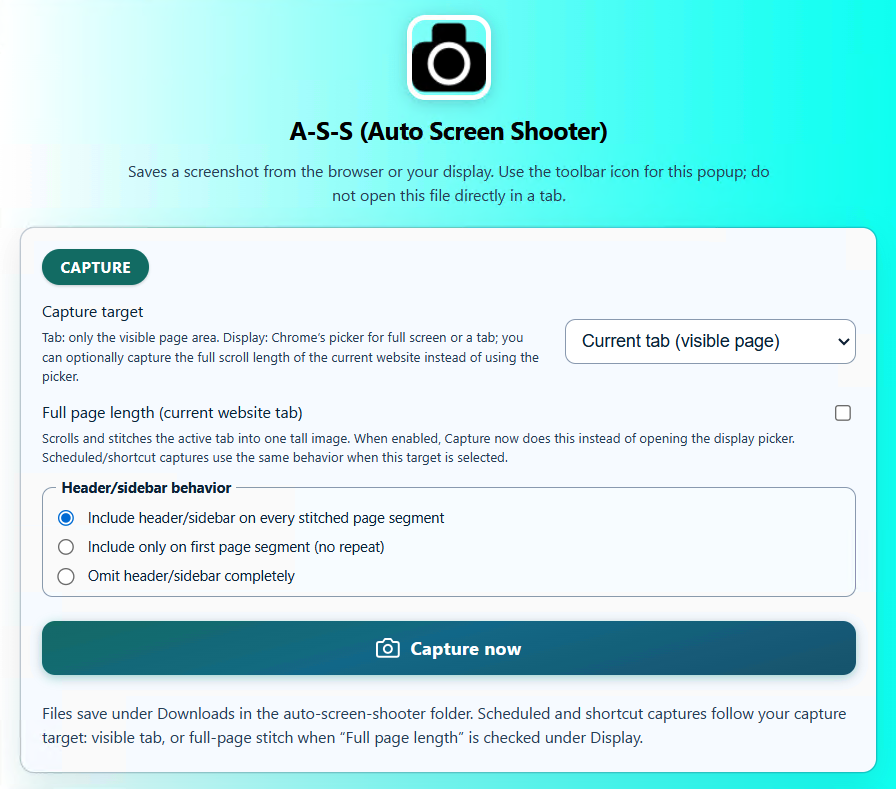
Three simple steps
Pin it once, then it's always a click away on any tab.
Browse to whatever you want to capture — a dashboard, an article, a competitor's landing page. No URL copying needed.
Choose current view or full page, then PNG or PDF. The extension auto-scrolls and stitches the entire page for you.
Your capture downloads instantly with your filename template applied — no editing, no seams, no cropping.
What the extension does best
Auto-scroll captures the entire page top to bottom — lazy images loaded, sticky headers handled — into one seamless image.
Lossless PNG for pixel-perfect images, or a clean multi-page PDF that mirrors the live page exactly.
Auto-name captures by date, title, or URL so your downloads folder stays organized without manual renaming.
Set capture rules for specific sites so frequent targets behave exactly how you want, every time.
Schedule recurring captures of the pages you monitor — hands-off documentation over time.
Install and capture at no cost. Add the desktop apps later for MP4 scroll video under one shared license.
The GoFullPage alternative
GoFullPage is a great Chrome-only tool. A·S·S matches it in the browser — and gives you a path to desktop power when you need it.
| Capability | A·S·S Extension | GoFullPage |
|---|---|---|
| One-click full-page capture | ✓ | ✓ |
| PNG & PDF export | ✓ | ✓ |
| Filename templates & site rules | ✓ | Limited |
| Optional scheduled auto-capture | ✓ | — |
| Companion Windows & Mac desktop apps | ✓ | — |
| MP4 scroll video (via desktop) | ✓ | — |
| One-time license, no subscription | ✓ | Subscription tiers |
FAQ
Add the free extension to Chrome and start capturing full pages as PNG or PDF in seconds.