
RECORD · macOS & Windows · v1.0.45
Screen Recording. Your Way.
Record the whole screen, a region, one window or just your camera — with a bubble in any shape you like, a background you can blur or replace, and a library that trims, converts and upscales to 4K. Everything happens on your own machine. No account. No cloud. No subscription. No watermark.
In one sentence
RECORD Makes Videos Of Your Screen
If what you want at the end is an MP4 you can upload, send or edit — a tutorial, a lesson, a bug report, a gameplay clip — this is the app. It records your display, a region, a single window or just your webcam, with your face in a bubble on top if you want one.
Use RECORD when you want…
A video file. Motion, narration, your voice, your face, a walkthrough someone can watch.
Use it for anything on screen
Apps, games, video calls, design tools, the desktop itself — not just web pages.
Don’t use it for…
A still picture of a long web page. That is what the Full Page Capture desktop app and the Chrome extension are for.
What makes it different
Built For Talking To Camera
Four things most recorders either charge a monthly fee for, or send to a server to do.
Your Bubble, Your Shape
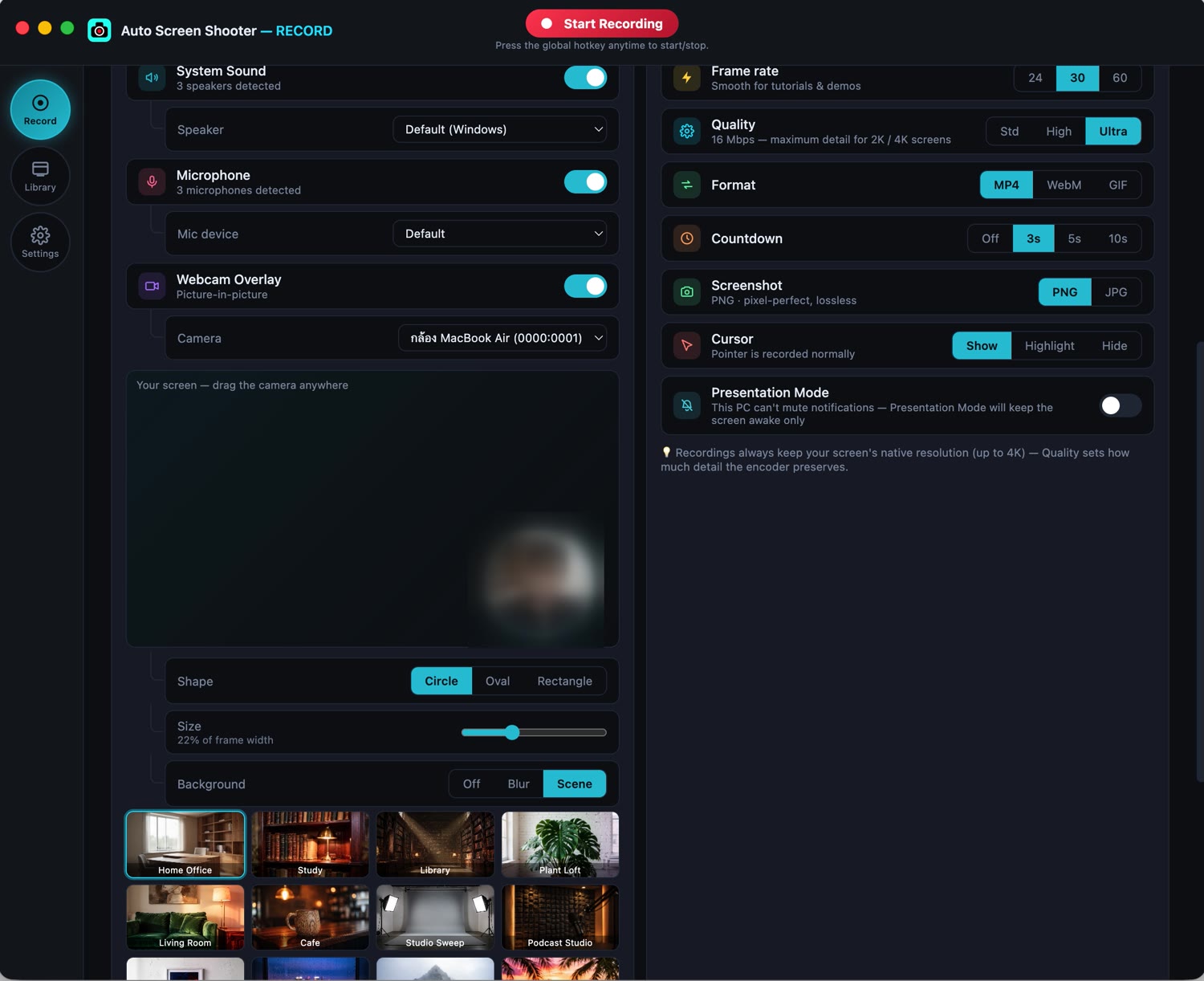
Circle, oval or rounded rectangle. Drag it anywhere on the frame and size it from 8% to 50% of the picture. The preview and the recorder share one piece of geometry, so what you position is exactly what lands in the video.
- Cover-cropped, never stretched — faces keep their proportions
- Mirror on or off, so text held up to the camera reads correctly
- Corner shortcuts, or drop it wherever you like
Blur The Room, Or Replace It
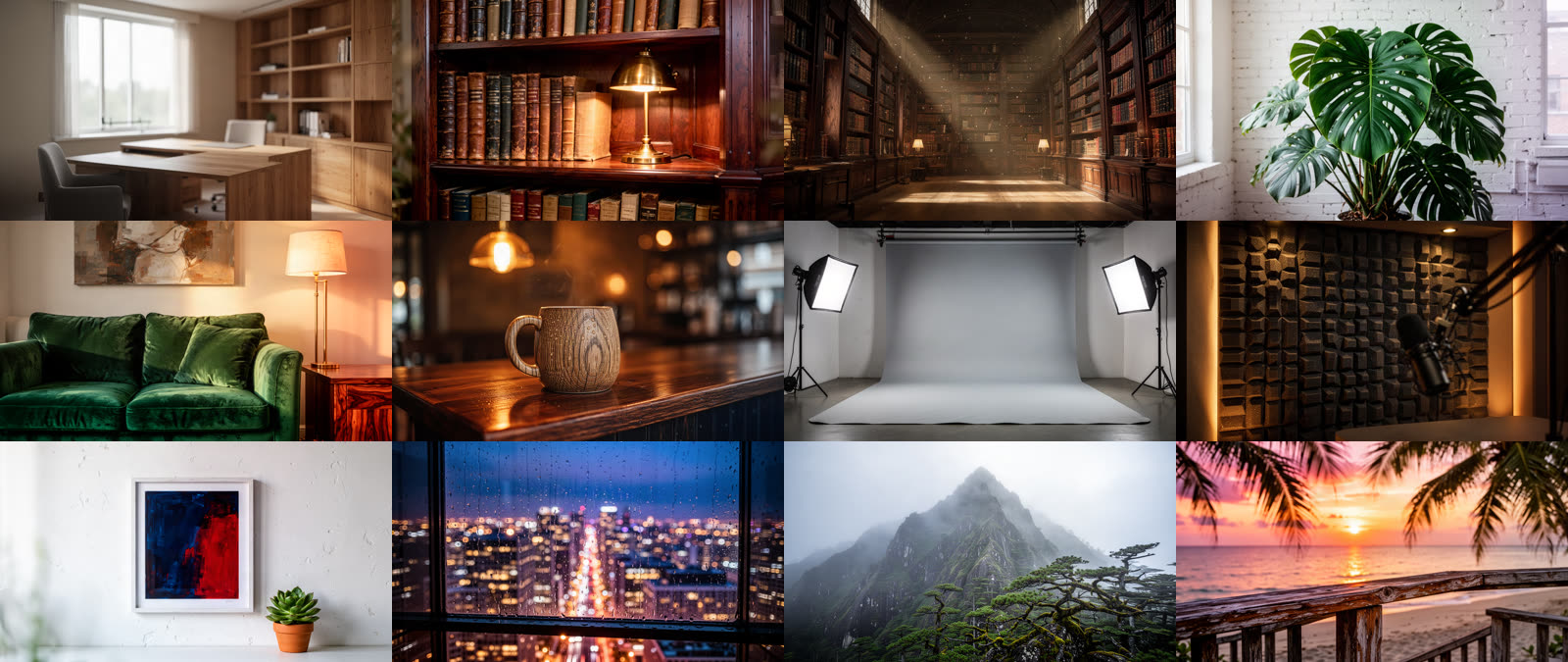
Twenty-four backgrounds ship with the app — twelve photographic rooms and twelve clean gradients — plus one-click blur. Segmentation runs on your own machine, so it works with the network off and nothing about your room ever leaves the computer.
- Home office, study, library, loft, cafe, studio, podcast booth…
- Processed on your own machine — no upload, no per-minute charge (licensed feature)
- The same effect in the recording, the preview and the floating window
Picture-In-Picture: See Yourself While You Talk
A separate picture-in-picture window keeps your camera in view while you narrate — above full-screen apps and across Spaces, so it follows you wherever you are working. It is excluded from the capture, so it never appears twice in the finished video.
- Drag it anywhere; it reshapes with your chosen bubble
- Released the moment you close or minimise the app
- Warns you if the microphone goes silent mid-take
Trim, Convert, Upscale
Every recording lands in a library on your own disk. Cut a section without re-encoding, convert between MP4, WebM and GIF, or send a clip to 1080p, 1440p or 4K — with a progress bar and a real time-remaining estimate instead of a spinner.
- Originals are never modified — upscales save as new files
- Long GIF exports fall back to MP4 rather than writing something unplayable
- Instant replay keeps the last 30, 60 or 120 seconds for gameplay

And the rest
Small Things, Done Properly
Native resolution, up to 4K
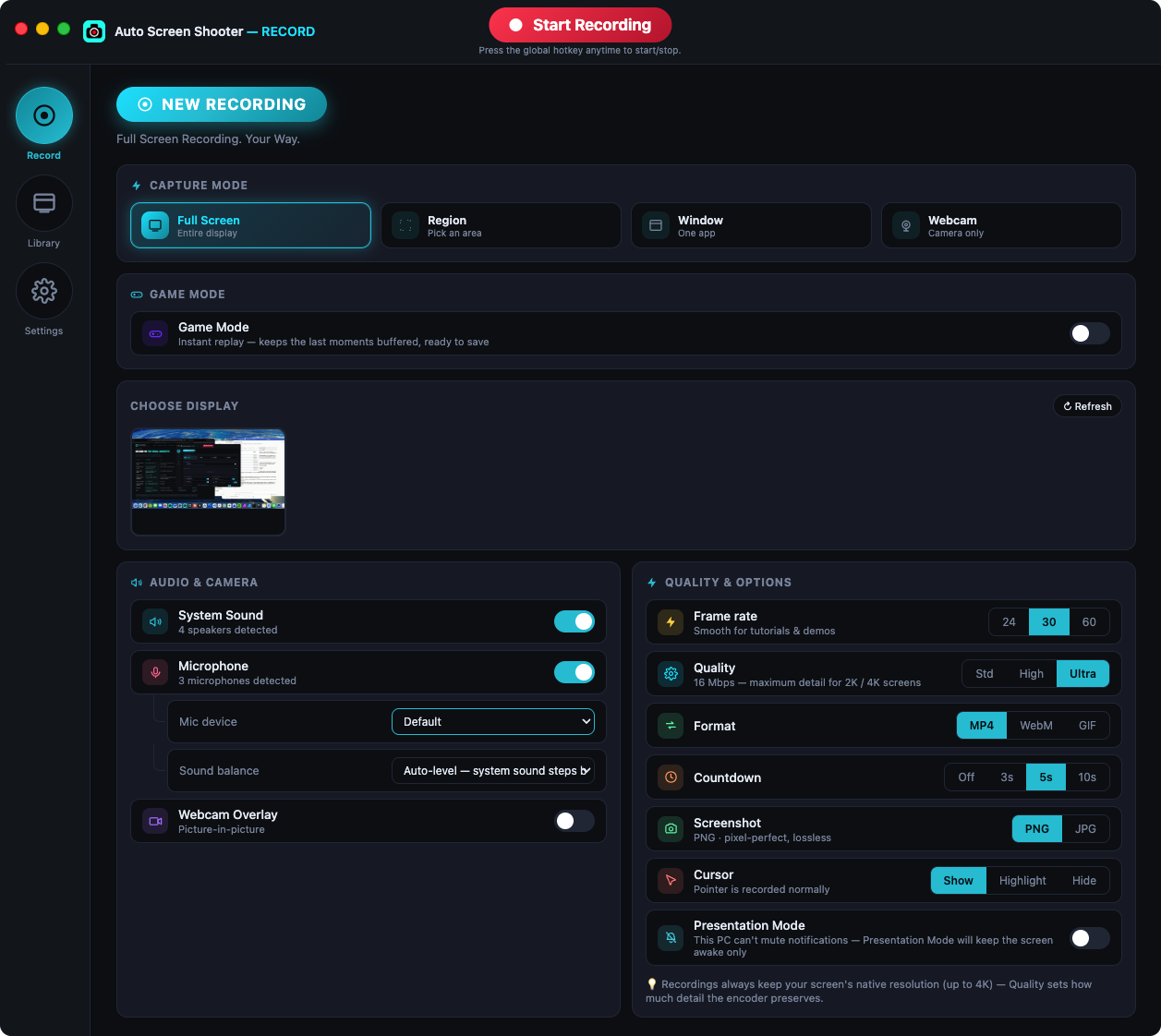
Bitrate is derived from pixels × frame rate, so an ultrawide or 4K panel is not starved by a flat preset. 24 / 30 / 60 fps, three quality tiers.
Four capture modes
Whole display, a region you draw, a single window, or webcam only. On macOS, window mode can crop the display so menus and the cursor are kept.
Cursor spotlight
Highlight the pointer for tutorials, or hide it completely. Countdown of 3, 5 or 10 seconds before the take starts.
Global hotkeys & tray
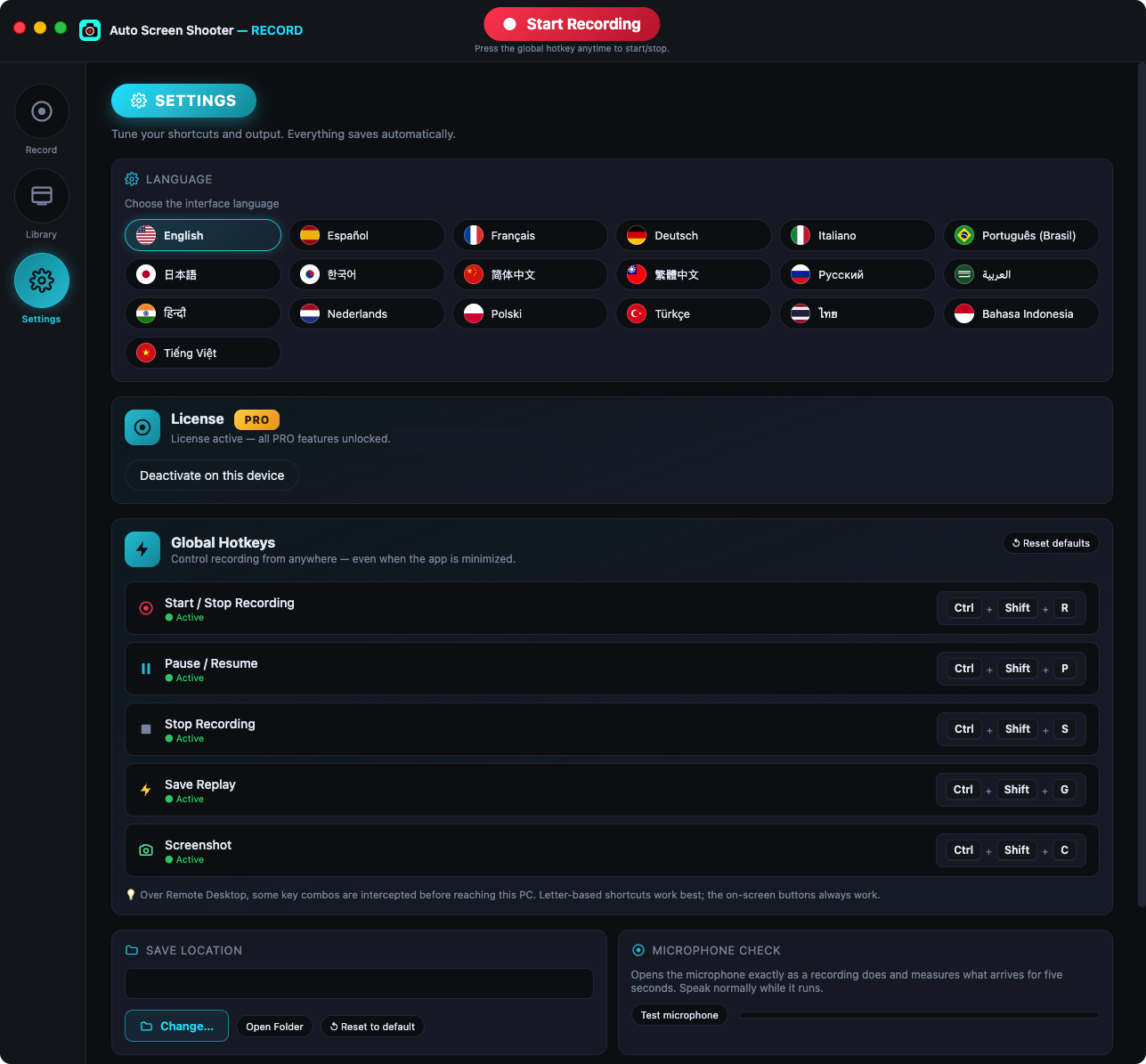
Start, stop, pause, screenshot and save-replay from anywhere, with a floating HUD that stays out of the recording.
Screenshots too
Pixel-perfect PNG or compact JPG stills, saved straight to your recordings folder.
18 interface languages
The whole interface, from English and Thai to Japanese, Arabic and Portuguese.
Who it is for
One Recorder, Many Jobs
Three ways people actually use it day to day.
Creators & tutorials
Talk to camera over your screen with a bubble that matches your brand, then trim and export without opening an editor.
Gamers
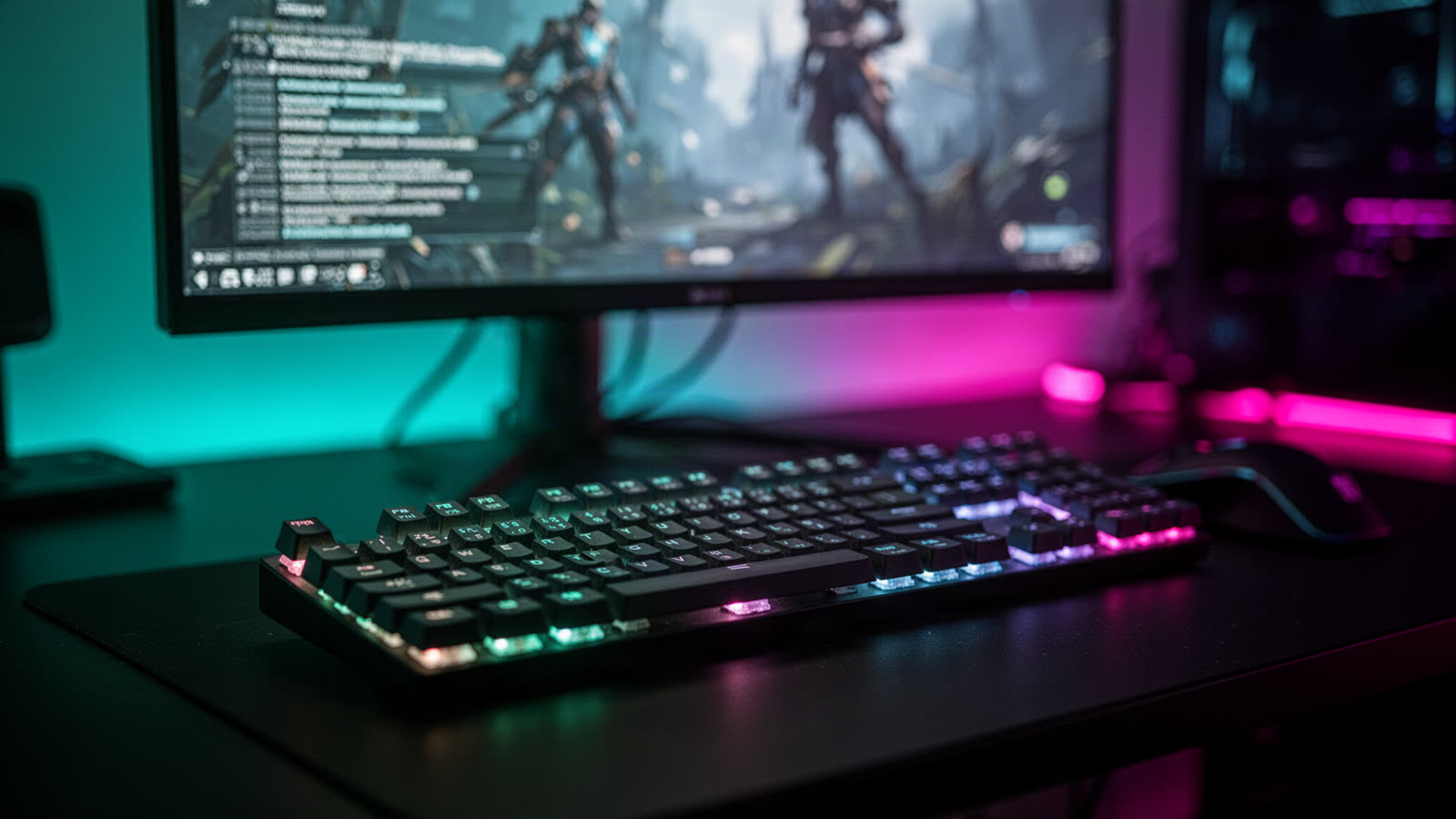
Game Mode keeps the last two minutes buffered. Something happens, you hit the hotkey, it is saved — the session never pauses.

Teachers & support teams
Record a lesson or a walkthrough with a tidy background, in your own language, and keep the file on your own disk.
Free vs licensed
What Free Gives You, And What It Doesn’t
The free build is a complete recorder: every capture mode, audio, instant replay, the editing library and 4K upscaling are all there, and there is no watermark on RECORD videos — not on the free tier, not ever. Three things need a licence: recordings longer than ten minutes, the background blur and scenes, and the picture-in-picture camera window.
| RECORD | Free | Licensed |
|---|---|---|
| Length of one recording | Stops at 10 minutes | Unlimited |
| Watermark on the video | None | None |
| Capture modes (display, region, window, webcam) | All four | All four |
| Camera bubble, shapes & positioning | Included | Included |
| Background blur & 24 background scenes | Not available | Included |
| Picture-in-picture floating camera window | Not available | Included |
| Instant replay buffer (30 / 60 / 120 s) | Included | Included |
| Trim, convert (MP4 / WebM / GIF), upscale to 4K | Included | Included |
| Microphone & system audio | Included | Included |
| Global hotkeys, tray, 18 languages | Included | Included |
| Account or cloud upload required | Never | Never |
Recordings themselves are never watermarked — the watermark you may have read about elsewhere on this site applies to the two full-page capture products, not to RECORD.
Pricing
One Licence. All Three Apps.
Buy once, use it forever. There is no subscription and no renewal, and every future update is included.
Two concurrent activations, mixed freely across RECORD, the desktop capture app and the Chrome extension.
Buy 2 seats via StripeSecure checkout · 30-day money-back guarantee · free updates for life
Team & agency seat packs
| 5 seats | $64.95 | Buy → |
| 10 seats | $99.99 | Buy → |
| 100 seats | $799.00 | Buy → |
| 500 seats | $3,495.00 | Buy → |
Not sure yet? Download the free build first — run it as long as you like and buy a key only when the workflow sticks.
The other apps
Need A Picture, Not A Video?
RECORD is one of three Auto Screen Shooter apps. The other two capture entire web pages as still images or PDFs.
Record Something In The Next Five Minutes
Install it, make one take, then decide. The free tier needs no licence, no account and no card.
Questions
Straight Answers
What exactly do I need a licence for?
Three things: recording for longer than ten minutes in one take, the background blur and the 24 bundled scenes, and the picture-in-picture floating camera window.
Everything else — all four capture modes, the camera bubble and its shapes, microphone and system audio, instant replay, trimming, format conversion, 4K upscaling, hotkeys and all 18 languages — is in the free build, with no watermark.
Does RECORD put a watermark on my videos?
No. RECORD never watermarks a recording, on the free tier or a licensed one. The free tier's limits are the ten-minute cap on a single recording, plus the background blur/scenes and the picture-in-picture window, which need a licence.
The watermark applies to the other two Auto Screen Shooter apps — the Full Page Capture desktop app and the Chrome extension — which stamp unlicensed JPG, PDF, PNG and MP4 exports.
What is the difference between RECORD and the other two apps?
RECORD produces a video of whatever is on your screen. The Full Page Capture desktop app and the Chrome extension produce a still image or PDF of an entire web page, scrolled and stitched together.
Different job, different output. If you want an MP4 someone watches, use RECORD. If you want a picture of a long page, use one of the other two.
Can I record for longer than ten minutes on the free tier?
Not in one take — the recording stops at the ten-minute mark and is saved. You can immediately start another. A licence removes the cap entirely.
Do I need a separate licence for RECORD?
No. One licence key unlocks all three apps. A $29.99 two-seat licence covers RECORD, the desktop capture app and the Chrome extension, and you can spread the seats across them however you like.
Does the background blur need an internet connection?
Blur and the 24 bundled scenes are a licensed feature — they are not available in the free build.
Once unlocked they need no internet connection: segmentation runs entirely on your own machine, works with the network switched off, and no video of your room is ever uploaded.
Can it record system audio as well as my microphone?
Yes — both, with a balance control between the two so narration is not buried under whatever is playing on screen.
Which systems does it run on?
macOS 12 or later on Apple silicon, and Windows 10 or later on x64. Both builds are signed, and the macOS build is notarized.
Where do my recordings go?
Into a folder on your own disk that you choose in settings. Nothing is uploaded, there is no account to create, and the app works offline.